MetaTrader API · 9 min read · 2026-08-27
How to Get an MT5 API Key (and Why MetaTrader Never Gives You One)
By API2Trade Editorial Team
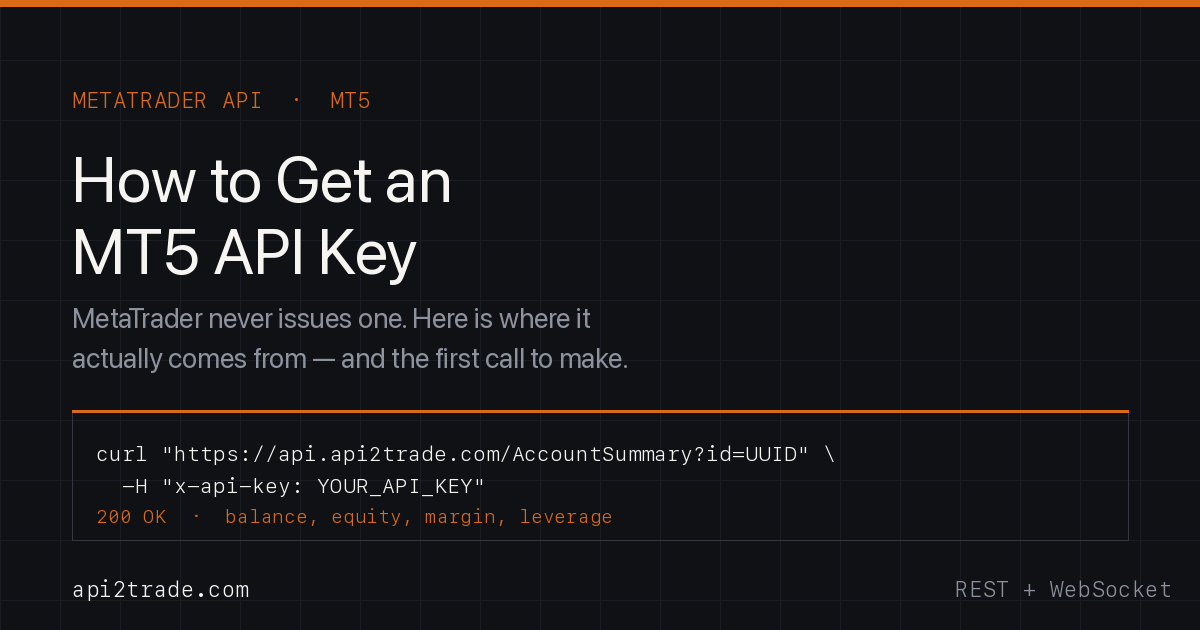
MetaTrader 5 does not issue API keys — MetaQuotes has never published a public REST API for retail accounts. Here is where an MT5 API key actually comes from, how to get one in about ten minutes, and the first three calls to make with it.
Short answer: MetaTrader 5 does not issue API keys. MetaQuotes has never published a public REST API for retail trading accounts, so there is no key hidden in your terminal, your broker's client area, or your MQL5 profile. An MT5 API key comes from a provider that speaks the MetaTrader protocol for you. With API2Trade it takes about ten minutes: sign up, copy the key from Settings, register your MT5 login, and start calling https://api.api2trade.com.
If you searched for this, you probably spent twenty minutes clicking through the MT5 terminal looking for a developer tab that does not exist. You are not missing anything. The tab is not there. Below is what is actually going on, and what to do about it.
Why there is no official MT5 API key
MetaTrader 5 is closed, proprietary software owned by MetaQuotes. It is not open source — there is no public repository, no community fork, and no officially documented REST endpoint you can point a bearer token at.
What MetaQuotes does ship is three things, none of which is what a developer building an app wants:
- MQL5 — a C-like language for Expert Advisors that runs inside a terminal you have to keep alive on a Windows box. Great for a single chart. Miserable as backend infrastructure.
- The Manager and Server API — a C++/.NET library licensed to brokers, not to third parties. It gives root-level control of a trade server. Around 99% of retail brokers will never hand it to an outside SaaS.
- The Web Terminal — a UI for humans, not a machine interface.
So the honest picture: there is no first-party MT5 REST API, and therefore no first-party MT5 API key. Anyone who tells you otherwise is either selling you a rebranded EA bridge or has not tried to ship one.
That leaves exactly one practical route for an application: a protocol-level bridge that logs into the broker's server the way a terminal would, and exposes it to you as clean JSON over HTTPS. That bridge issues the key. That is the key you are looking for.
The three credentials you actually need
People conflate these constantly, then spend an afternoon debugging a 401. They are three separate things:
| What | What it identifies | Where it comes from |
|---|---|---|
| API key | You, the developer | Your API2Trade dashboard, Settings tab |
| Account UUID | One specific MT4/MT5 trading account | Returned when you register the account |
| MT5 login / password / server | The broker account itself | Your broker |
Your API key never changes when you add accounts. Every trading account you connect gets its own UUID. Almost every endpoint takes both: the key in a header, the UUID as id.
One trap worth naming now: MetaTrader accounts have a master password and an investor password. The investor password is read-only. If you register with it, quotes and balances work fine and every order silently fails. Use the master password for anything that trades.
How to get an MT5 API key in five steps
1. Create an account
Sign up at app.api2trade.com. No terminal install, no VPS, no EA to compile — that is the entire point of the architecture.
2. Copy the key from Settings
Your API key sits in the Settings tab of the dashboard. Treat it like a password: server-side only, never in a mobile app bundle, never in front-end JavaScript, never committed to Git. It authenticates every account under your plan.
3. Register your MT5 account
Two ways, same result. In the dashboard, open Accounts and enter your MT5 login (a number), the master password, and the exact broker server name. Or do it over the API with /RegisterAccount if you are onboarding users programmatically — that is how CRMs and prop-firm dashboards do it at volume.
Either way you get back a UUID for that account. Store it against the user in your own database.
Not sure of the exact server name? /Search looks up broker servers by company name, and /LoadServersDat reads a terminal's servers.dat if you have one. "Exact" matters — MetaTrader server names are not fuzzy-matched.
4. Verify the connection
curl -X GET "https://api.api2trade.com/CheckConnect?id=YOUR_ACCOUNT_UUID" \
  -H "x-api-key: YOUR_API_KEY"
"Connected" means the bridge is logged into your broker's server and holding the session. /CheckConnect also re-establishes a dropped connection, which makes it the right thing to call from a health check.
5. Pull real account data
curl -X GET "https://api.api2trade.com/AccountSummary?id=YOUR_ACCOUNT_UUID" \
  -H "x-api-key: YOUR_API_KEY"
That returns balance, equity, currency, free margin, margin, margin level, profit, leverage and credit. If you see live numbers here, you are done — you have working MT5 API access, and you never opened MetaTrader.
Your first three calls, in Python
import requests

BASE = "https://api.api2trade.com"
H = {"x-api-key": "YOUR_API_KEY"}
ACC = "YOUR_ACCOUNT_UUID"

# 1. Is the account live?
print(requests.get(f"{BASE}/CheckConnect", params={"id": ACC}, headers=H).text)

# 2. Balance, equity, margin
print(requests.get(f"{BASE}/AccountSummary", params={"id": ACC}, headers=H).json())

# 3. A market order
order = requests.get(f"{BASE}/OrderSendTask", params={
    "id": ACC, "symbol": "EURUSD", "operation": "Buy",
    "volume": 0.01, "slippage": 5,
    "stoploss": 0, "takeprofit": 0, "comment": "first-api-trade",
}, headers=H).json()
print(order)
Three calls. No MQL, no ZeroMQ socket glued to a terminal, no Windows VPS to babysit. (If you are coming from the terminal-plus-bridge world, we wrote up connecting MT4 to Python without ZeroMQ separately.)
From there the surface is wide: /OpenedOrders, /ClosedOrders, /OrderModifySafe, /OrderCloseSafe, /OrderHistory with pagination, /PriceHistory, /SymbolParams, /RequiredMargin, /TradeStats, /EquityHistory, /ChangePassword. The current PRO specification exposes 104 endpoints across MT4 and MT5.
"What about SSE?"
Short version: API2Trade streams over WebSocket, not Server-Sent Events. You call /Subscribe with a symbol, then read the /events socket. /OnQuote, /OnOrderUpdate, /OnOrderProfit, /OnMarketWatch, /OnOrderBook and /OnOhlc deliver ticks, fills, floating P/L, market-watch changes, depth and candles as they happen.
That is a deliberate choice, not an omission. SSE is one-directional: the server talks, the client listens, and every subscribe or unsubscribe needs a separate HTTP round trip. Trading clients subscribe and unsubscribe constantly — a copy-trading platform re-scopes its symbol set every time a follower joins. A bidirectional socket handles that on the connection that is already open. SSE also caps out at six concurrent connections per domain in most browsers, which is a real ceiling for a multi-account dashboard.
If your stack genuinely needs SSE, put a thin translator in front of the WebSocket. Most teams do not bother once they see the message format.
Getting an MT4 API key
Identical flow, same key, same header. MT4 logins are integers too, and you can connect either by server name or by explicit host and port. One key covers both platforms once you are on a plan that includes them; you do not manage two integrations. Handy detail if you are building a copy-trading product where the master is on MT4 and half the followers are on MT5 — that architecture is covered here.
What does it cost?
Flat monthly pricing, no per-account metering:
| Plan | Monthly | What you get |
|---|---|---|
| Single Account | €12 | 1 MT4 or MT5 connection, no rate limits, connect/disconnect allowed |
| Single PRO | €549 | MT4 or MT5, unlimited accounts and requests, real-time market data, dedicated cloud server, 24/7 priority support |
| Full PRO | €949 | MT4 and MT5, unlimited accounts and requests, WebSocket streaming |
Annual billing saves up to 25%. Payment by card via Stripe, crypto, or bank transfer.
The €12 tier exists so you can build against a real broker account for the price of a coffee before you commit anything. That is the honest answer to "how much does this cost" — and the reason the pricing page has no "contact sales for a quote" wall on the entry plan.
Is there a free tool or a free trial? Not right now — there is no free tier, and we would rather say so than bury it. What you can do at zero cost is create a broker demo account programmatically with /GetDemo and point your integration at it, so the account under test costs nothing while you build. If you need a longer evaluation for a serious integration, talk to us on Telegram or by email; that conversation is a lot cheaper than either of us discovering an architectural mismatch in month three.
Compare that with per-account cloud-terminal pricing, where every user you onboard adds a virtualised MetaTrader instance to your bill. We ran the numbers against the best-known competitor in this MetaApi pricing comparison.
Is this the best API for forex trading?
Fair question, and "we say so" is not an answer. Judge any MetaTrader API on five things:
- Does it need a terminal? If a headless MetaTrader instance runs somewhere on your behalf, you have inherited its crashes, its memory footprint and its per-instance cost. API2Trade talks the broker protocol directly — no terminal, no Expert Advisor, nothing to keep alive.
- How does it price growth? Per-account billing punishes exactly the outcome you want. Flat fees with unlimited accounts and unlimited requests do not.
- How wide is the surface? A wrapper with twelve endpoints will stop you dead the first time you need order history pagination, required margin, or trade sessions. 104 endpoints is a different kind of ceiling.
- Where does it run? Published figures for this platform: 47 ms average execution (US-East → London), a 99.95% uptime SLA, 11 global data centres, more than 10,000 active accounts, clients in 196 countries, and engineering out of Germany.
- Does it cover both platforms? MT4 is not dead. Anything that handles only MT5 makes MT4 someone else's problem, and that someone is you.
For a hobbyist testing one strategy on one account, a cloud wrapper's five-minute sandbox is genuinely fine. For a prop firm, a CRM, a signal service or any product that has to survive its own growth, a direct protocol API is not a preference — it is the only architecture whose cost curve stays flat. The long-form version of that argument is in MetaApi vs direct MetaTrader API.
Five mistakes that eat the first day
- Investor password instead of master. Reads work, trades fail, no obvious error. Check this first, always.
- Approximate server name.
ICMarkets-Live12is notICMarkets Live 12. Use/Searchand copy exactly. - API key in front-end code. It authenticates every account on your plan. Keep it server-side.
- Confusing the key with the UUID. The key goes in the
x-api-keyheader; the account UUID goes inid. Swapping them produces a 401 that looks like a billing problem. - Assuming the session is eternal. Brokers restart servers, and connections drop at weekends. Call
/CheckConnecton a schedule; it reconnects for you.
FAQ
How do I get an MT5 API key?
From an API provider, not from MetaTrader. Create an account at app.api2trade.com, copy the key from the Settings tab, register your MT5 login to receive an account UUID, then authenticate with the x-api-key header and pass the UUID as id.
Does MetaTrader 5 have an official API key? No. MetaQuotes publishes MQL5 for in-terminal Expert Advisors and licenses the Manager/Server API to brokers. There is no public REST API and no official API key for retail accounts.
Is MetaTrader open source? No. MT4 and MT5 are proprietary MetaQuotes products. There is no public source, and no community fork you can self-host.
Do I need MetaTrader installed to use the API? No. API2Trade connects to the broker's server directly, so there is no terminal to install and no Expert Advisor to deploy.
Is there a free MT5 API?
There is no free tier here. You can create a broker demo account through /GetDemo and develop against it, and the entry plan is €12/month.
Does the API support SSE?
Streaming is over WebSocket via /Subscribe and the /events connection, not Server-Sent Events — bidirectional so subscription changes reuse the open socket.
Can I use the same key for MT4 and MT5? Yes, on a plan that includes both. One key, one integration, both platforms.
Get your key
Setup is under 30 minutes end to end, and the entry plan is €12/month.
👉 Get your MT5 API key at API2Trade — or read the full endpoint documentation first.
API2Trade is an independent service and is not affiliated with, authorized by, or endorsed by MetaQuotes. "MetaTrader", "MT4" and "MT5" are registered trademarks of MetaQuotes Ltd. References are used strictly for identification and compatibility purposes.
Ready to integrate the MetaTrader API?
Set up in under 30 minutes. No terminal required.
Get Started →